



X.com
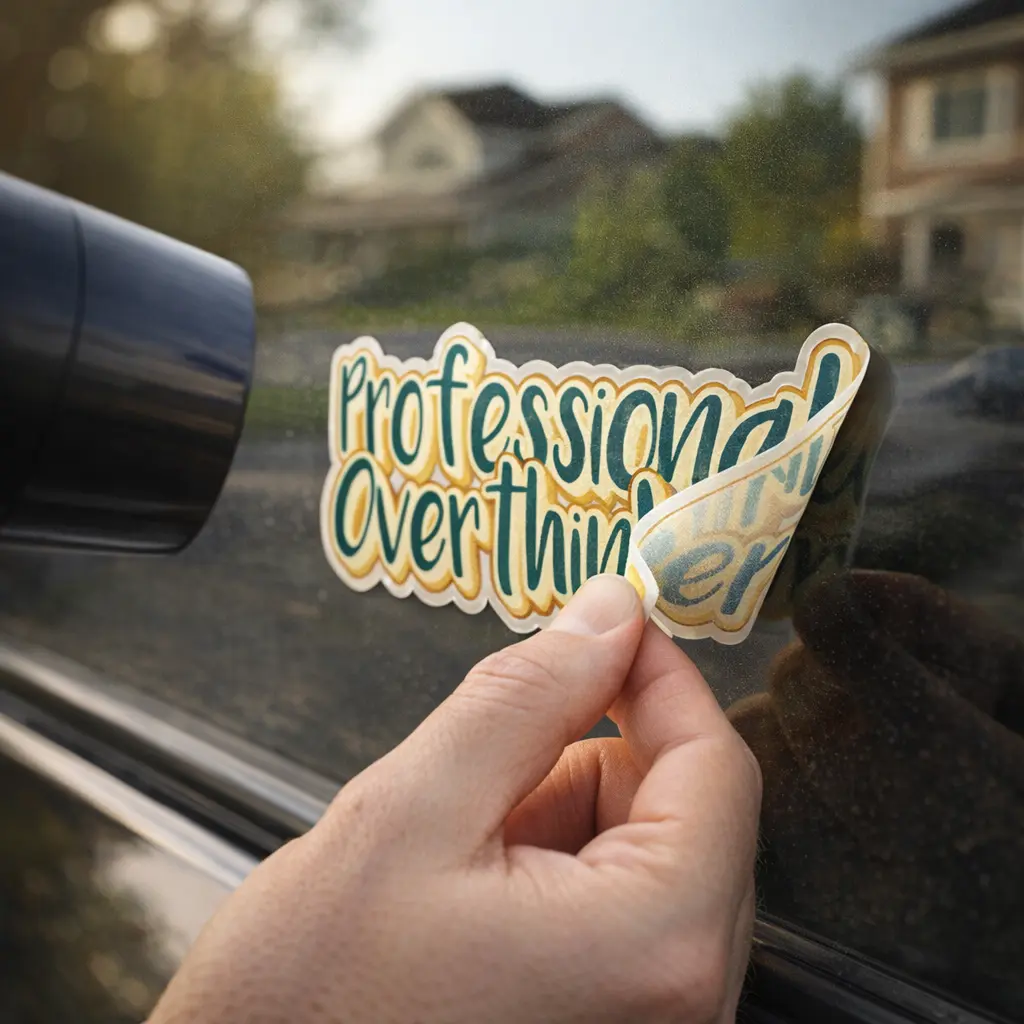
Have you ever attempted to remove a sticker and ended up with a sticky mess or, even worse, scratches on your laptop or car? You’re not alone. It looks simple, but one wrong move can damage the surface or leave behind stubborn adhesive.
Not only the old laptop stickers, but the high-quality custom vinyl stickers, this operation must be careful. The good news is, you don’t need any special skills. Follow the proper procedure and you will be able to remove vinyl stickers without spoiling your laptop or car.
We shall take it step by step to enable you to do it in a safe and confident manner.
Quick Answer: How to Remove Vinyl Stickers Without Damaging?
If you are in a hurry, here’s the safest method.
Apply soft heat using a hair dryer in order to soften the glue. The sticker can be removed gradually at an angle, and then the sticker can be cleaned in rubbing alcohol, or a safe adhesive cleaner.
Most surfaces such as laptops and cars work with this technique without being damaged.
Why Vinyl Stickers Are Hard to Remove
It is useful to know why removal can be a challenging process before jumping into it. The vinyl stickers are made in such a way that they are tough to remove and durable.
1. Strong Adhesive Bond
The strong adhesive backside of vinyl decals will tighten even more. Heat, sunlight, and pressure make the bond stronger, especially on cars.
2. Surface Sensitivity
Not all surfaces respond in the same way. The surfaces of laptops are sensitive as well as the car paint requires additional protection against fading or scratching.
3. Residue Problems
The adhesive more frequently leaves behind a leftover even when the sticker is removed. This is where most people struggle.
Things to Know Before Removing Vinyl Stickers
A little preparation can save you from damage. Many people rush into removing stickers and end up with scratches, sticky residue, or faded surfaces. Having a moment to see what you have to deal with makes the entire process simpler and less risky.
Surface Type Matters
Determine whether you are working on metal, plastic, glass or painted. The surfaces of laptops are also more fragile and can be easily scratched, whereas car paint may require specific work, so that they do not become dull or peeling. Both surfaces respond differently to the heat and cleaning agents and therefore, you should change your approach at all times.
Old vs New Stickers
Stickers which are old become difficult to remove due to the fact that the adhesive gets tougher after some time. They cause more stickiness when subjected to sunlight, heat, and pressure, particularly on cars. The length of time it takes you to apply heat and peel might be longer and slower than newer laptop stickers or freshly placed custom vinyl stickers.
Avoid Sharp Tools
Never use blades, knives, or sharp metal objects to remove stickers. These can leave permanent scratches on your laptop or damage the clear coat on your car. Instead, use a plastic card or a soft scraper to gently lift the edges without harming the surface.
Tools You Need for Safe Sticker Removal
You do not require high investments, though the correct ones will make a significant difference. You need to know how to get the vinyl stickers off of your laptop or car without making any scratches, bubbles, or sticky residue, and these simple tools can help you prevent it.
1. Hair Dryer
One of the most valuable tools is a hair dryer. Light heat makes the adhesive material of vinyl decals easier to peel. This comes in particularly handy when using it to remove old laptop stickers or attempting to remove vinyl stickers on car paint without damaging the paint.
2. Plastic Card
A credit card, or a plastic card, will assist you in lifting the edges of the surface without scratching it. It is a safer substitute to metal tools and works best when you have to take off some of the vinyl decals without any trouble.
3. Microfiber Cloth
Microfiber cloth will work best to clean the residue off surfaces without leaving damages to delicate ones. It is particularly handy in the case of laptops, where coarse materials may create a mark or scratch.
4. Rubbing Alcohol or Adhesive Remover
This is vital in eliminating residual adhesive. Rubbing alcohol dissolves the sticky residue. It can be used to remove some of the sticker residue in the shortest amount of time and it does not destroy most surfaces. In the more difficult situations, a non-hazardous adhesive remover may help to clean up the area thoroughly.
How to Remove Vinyl Stickers from a Car Without Damaging the Paint
Removing stickers from a laptop needs extra care because the surface is delicate and can be scratched easily. If done the wrong way, you may damage the finish or leave behind stubborn residue. This step-by-step method will help you remove vinyl stickers from a laptop without damaging the surface.
Step 1: Turn Off Your Laptop
Always switch off and unplug your device before starting. This protects your laptop from heat exposure and prevents any electrical issues. It also allows you to focus on removing the sticker safely without distractions.
Step 2: Apply Gentle Heat
Use a hair dryer on low heat and hold it a few inches away from the sticker. Move it slowly across the surface so the heat spreads evenly. This step is important if you want to remove vinyl stickers without damaging your laptop, as heat softens the adhesive and makes peeling easier.
Step 3: Peel Slowly
Start from one corner and gently lift the sticker using your fingers or a plastic card. Peel slowly at a steady angle instead of pulling quickly. This is the best way to remove stickers from a laptop without leaving residue, as it reduces tearing and uneven removal.
Step 4: Clean Residue
After removing the sticker, you may notice some adhesive left behind. Use a small amount of rubbing alcohol on a microfiber cloth and gently wipe the area. This helps remove sticker residue from the laptop safely without affecting the surface finish.
If you enjoy decorating your devices, you can always refresh the look with new designs. You might like creative ideas like romanticizing your objects, or fun picks such as the stay weird sticker and the Tina Twerking sticker.
How to Remove Sticker Residue
Removing the sticker is only half the job. The real frustration starts when sticky residue is left behind. If not cleaned properly, it can attract dust, look messy, and even damage the surface over time. The good news is, you can remove sticker residue without damaging your laptop or car using simple methods.
1. Use Rubbing Alcohol
Rubbing alcohol is one of the safest and most effective ways to remove adhesive residue from laptop or car surfaces. Apply a small amount to a microfiber cloth and gently rub the sticky area in circular motions. It breaks down the glue quickly without harming most finishes, making it ideal for removing vinyl sticker residue safely.
2. Try Vinegar Solution
A mild vinegar solution is a natural option if you prefer a chemical-free method. Mix equal parts vinegar and water, apply it to the residue, and let it sit for a minute. This helps loosen the adhesive, making it easier to wipe off. It works well when you want to remove sticker residue naturally without damaging surfaces.
3. Use Adhesive Removers
For stubborn or old residue, commercial adhesive removers are very effective. These are specially designed to remove vinyl decal residue from car paint safely without affecting the finish. Apply a small amount, let it sit as directed, and wipe clean with a soft cloth.
No matter which method you choose, always clean the surface gently and avoid excessive rubbing. This ensures you remove vinyl stickers and residue without damage, leaving your laptop or car looking clean and smooth.
4 Common Mistakes to Avoid
Many people damage surfaces because of simple mistakes. Here’s a quick table to help you avoid them while trying to remove vinyl stickers without damaging your laptop or car.
| Mistake | What Happens |
| Pulling Too Fast | Leaves adhesive residue or tears the sticker unevenly |
| Skipping Heat | Makes adhesive harder to remove and increases effort |
| Using Sharp Tools | Can scratch your laptop or damage car paint instantly |
| Using Harsh Chemicals | May discolor surfaces or harm the finish |
If you are planning to apply new stickers later, it’s also helpful to understand why cheap stickers fail so you can avoid similar problems in the future.
FAQs
Can I remove vinyl stickers without heat?
Yes, you can remove vinyl stickers without heat, but it is not recommended. Heat helps soften the adhesive, making it much easier to peel the sticker smoothly. Without heat, the glue stays strong, which can lead to tearing or leftover residue. If you want to remove vinyl stickers without damaging surfaces, using gentle heat is always the safer option.
Will removing stickers damage my laptop?
Not if done correctly. If you use low heat, peel slowly, and avoid sharp tools, your laptop surface will remain safe. This is the best way to remove stickers from laptop without scratches or marks, especially for delicate finishes.
What removes adhesive residue best?
Rubbing alcohol is one of the safest and most effective ways to remove sticker residue without damaging most surfaces. It breaks down the adhesive quickly and leaves a clean finish. For tougher residue, you can also use a mild adhesive remover designed for electronics or car paint.
How do I remove old vinyl decals?
Older decals are harder to remove because the adhesive has bonded strongly over time. Apply gentle, consistent heat and peel slowly from one corner. This method helps you remove old vinyl decals without damaging car paint or laptop surfaces, while reducing the chances of residue.
Final Thought
Removing vinyl stickers does not have to be stressful or risky. With the right approach, you can remove them cleanly without damaging your laptop or car.
The key is simple. Use gentle heat, peel slowly, and clean the surface properly. Whether you are removing old laptop stickers or replacing custom vinyl stickers with new designs, doing it the right way makes all the difference.
Take your time, follow these steps, and you will get a smooth, clean finish every time.


Choosing Between Glossy and Matte Stickers a Complete Guide
Stickers have become more than just fun...

Why Cheap Stickers Fail and What to Look for Instead
You found a pack of 50 stickers for $5...

The Complete Guide to Choosing Zodiac Stickers Based on Your Moon Sign
You probably know your sun sign....


